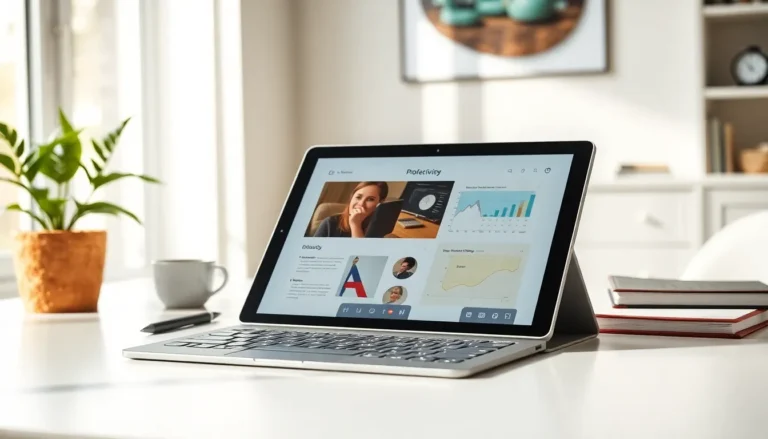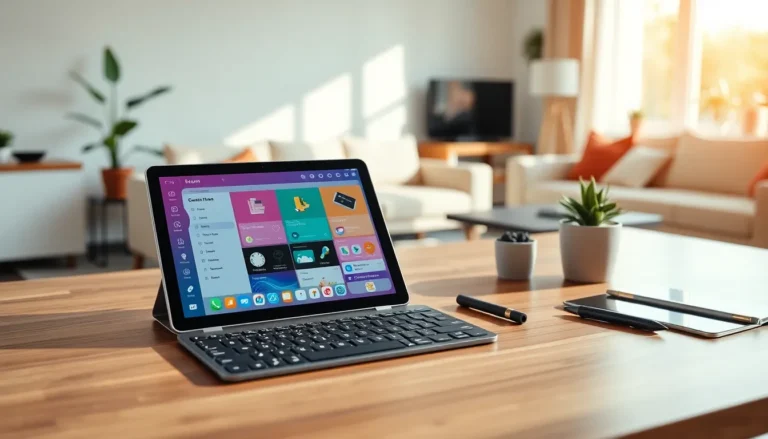
Tablet tools have transformed how people work, create, and stay organized. Whether someone uses a tablet for business tasks or artistic projects, the right tools make all the difference. Modern tablets come packed with built-in features, and thousands of apps extend their capabilities even further. This guide covers the essential tablet tools that boost productivity and unlock creative potential. From native features to third-party apps and must-have accessories, readers will discover everything they need to get more from their devices.
Table of Contents
ToggleKey Takeaways
- Built-in tablet tools like split-screen mode, native note-taking apps, and file management features provide a solid productivity foundation before downloading third-party apps.
- Top productivity tablet tools include Microsoft Office, Google Workspace, and task managers like Todoist that sync seamlessly across all your devices.
- Creative professionals can complete entire projects on tablets using apps like Procreate for illustration, LumaFusion for video editing, and Affinity Photo for image editing.
- Essential accessories like styluses, Bluetooth keyboards, and protective cases significantly enhance what tablet tools can accomplish.
- Start with free tablet tools and built-in options before investing in paid apps to find what truly fits your workflow.
- Choose tablet tools based on your primary use cases and allow time to master each tool before adding new ones to your toolkit.
Built-In Tablet Tools You Should Know
Every tablet ships with built-in tools that many users overlook. These native features provide a solid foundation before downloading any third-party apps.
Split-Screen and Multitasking
Most modern tablets support split-screen mode. Users can run two apps side by side, perfect for taking notes while watching a video or comparing documents. iPads offer Stage Manager for advanced window management, while Android tablets provide flexible multitasking options.
Note-Taking Apps
Apple Notes and Samsung Notes come pre-installed on their respective devices. These tablet tools support handwriting, typed text, and even document scanning. They sync across devices automatically, making them practical for everyday use.
File Management
The Files app on iPadOS and similar tools on Android tablets let users organize documents, connect to cloud storage, and manage downloads. Understanding these built-in tablet tools saves time and reduces clutter.
Screen Recording and Screenshots
Capturing screen content proves useful for tutorials, troubleshooting, or saving information. Built-in screen recording features eliminate the need for separate apps.
These native tablet tools handle basic tasks efficiently. But, specialized apps take productivity and creativity to another level.
Top Productivity Apps for Tablets
Productivity apps turn tablets into serious work machines. The right combination of tablet tools helps users manage tasks, documents, and communication from anywhere.
Document Editing
Microsoft Office and Google Workspace remain the top choices for document creation. Both offer full-featured word processors, spreadsheets, and presentation tools. Notion and Craft provide alternative approaches to document organization with linked databases and visual layouts.
Task Management
Todoist, Things 3, and TickTick rank among the best task managers. These tablet tools sync across devices and offer features like recurring tasks, priority levels, and project organization. Teams often prefer Asana or Monday.com for collaborative workflows.
Note-Taking Powerhouses
GoodNotes and Notability dominate the handwritten note category on iPad. They support PDF annotation, audio recording, and shape recognition. For typed notes, Obsidian and Bear offer powerful linking and organization features.
Calendar and Scheduling
Fantastical and Calendars 5 provide better interfaces than default calendar apps. They integrate with multiple accounts and offer natural language input for quick event creation.
Cloud Storage
Dropbox, Google Drive, and iCloud keep files accessible from any device. These tablet tools ensure users never lose important documents and can collaborate in real time.
Productivity-focused tablet tools work best when users commit to a consistent system. Trying too many apps often leads to confusion rather than efficiency.
Creative Tools and Drawing Applications
Tablets excel as creative devices. The combination of touchscreens and stylus support makes them ideal for artists, designers, and content creators.
Professional Drawing Apps
Procreate remains the gold standard for digital illustration on iPad. It offers hundreds of brushes, layer support, and animation features, all for a one-time purchase. Clip Studio Paint provides similar capabilities across platforms with additional comic and manga tools.
Photo Editing
Adobe Lightroom and Photoshop bring professional editing to tablets. Affinity Photo offers a one-time purchase alternative with desktop-class features. Snapseed provides free editing tools that handle most casual needs.
Video Production
LumaFusion delivers professional video editing on iPad. It supports multiple tracks, color grading, and various export options. CapCut and VN offer simpler interfaces for social media content.
Design and Layout
Canva makes graphic design accessible to non-designers. It provides templates for social media posts, presentations, and marketing materials. Affinity Designer handles vector graphics for more advanced projects.
Music Creation
GarageBand comes free on Apple devices and offers a complete music production environment. FL Studio Mobile and Cubasis provide more advanced features for serious musicians.
Creative tablet tools have closed the gap between mobile and desktop software. Many professionals now complete entire projects on their tablets alone.
Must-Have Tablet Accessories
Software only tells half the story. Physical accessories extend what tablet tools can accomplish and improve the overall experience.
Styluses
The Apple Pencil and Samsung S Pen lead the market for their respective platforms. Third-party options like Logitech Crayon and Adonit styluses offer budget-friendly alternatives. A good stylus transforms note-taking and creative work.
Keyboards
Bluetooth keyboards turn tablets into laptop replacements. Apple’s Magic Keyboard and Samsung’s Book Cover Keyboard attach directly to devices. Logitech produces excellent standalone options for various tablet sizes.
Protective Cases
Cases protect the investment and often add functionality. Many include stands for hands-free viewing and typing. Brands like OtterBox, Spigen, and ESR offer options ranging from slim to ultra-protective.
Stands and Mounts
Adjustable stands improve ergonomics for extended work sessions. Artists often prefer angled stands that mimic drawing tables. Wall and desk mounts free up workspace.
External Storage
USB-C hubs and portable SSDs expand storage and connectivity. They allow users to import photos, connect displays, and attach other peripherals.
The right accessories make tablet tools more effective. Users should invest based on their primary use cases rather than buying everything at once.
Choosing the Right Tools for Your Needs
With countless tablet tools available, selection can feel overwhelming. A focused approach helps users build an effective toolkit without wasting money or time.
Identify Primary Use Cases
Someone using a tablet primarily for reading and browsing needs different tools than a digital artist or business professional. Start by listing the three to five tasks performed most often.
Start with Free Options
Many excellent tablet tools offer free versions or trials. Testing before buying prevents regret. Built-in apps often prove sufficient for basic needs.
Consider Ecosystem Integration
Apps that sync across devices and platforms provide more value. A note app that works on tablet, phone, and computer keeps information accessible everywhere.
Read Recent Reviews
App quality changes over time. Reading reviews from the past few months reveals current issues and recent improvements. User communities on Reddit and forums provide honest feedback.
Budget Wisely
Subscription costs add up quickly. Users should calculate annual expenses before committing to multiple paid tablet tools. One-time purchases often provide better long-term value.
Allow Time for Learning
Powerful tablet tools require practice. Switching apps too quickly prevents users from discovering advanced features. Commit to learning one tool thoroughly before adding another.
The best tablet tools match individual workflows. What works perfectly for one person may frustrate another.